Axxess
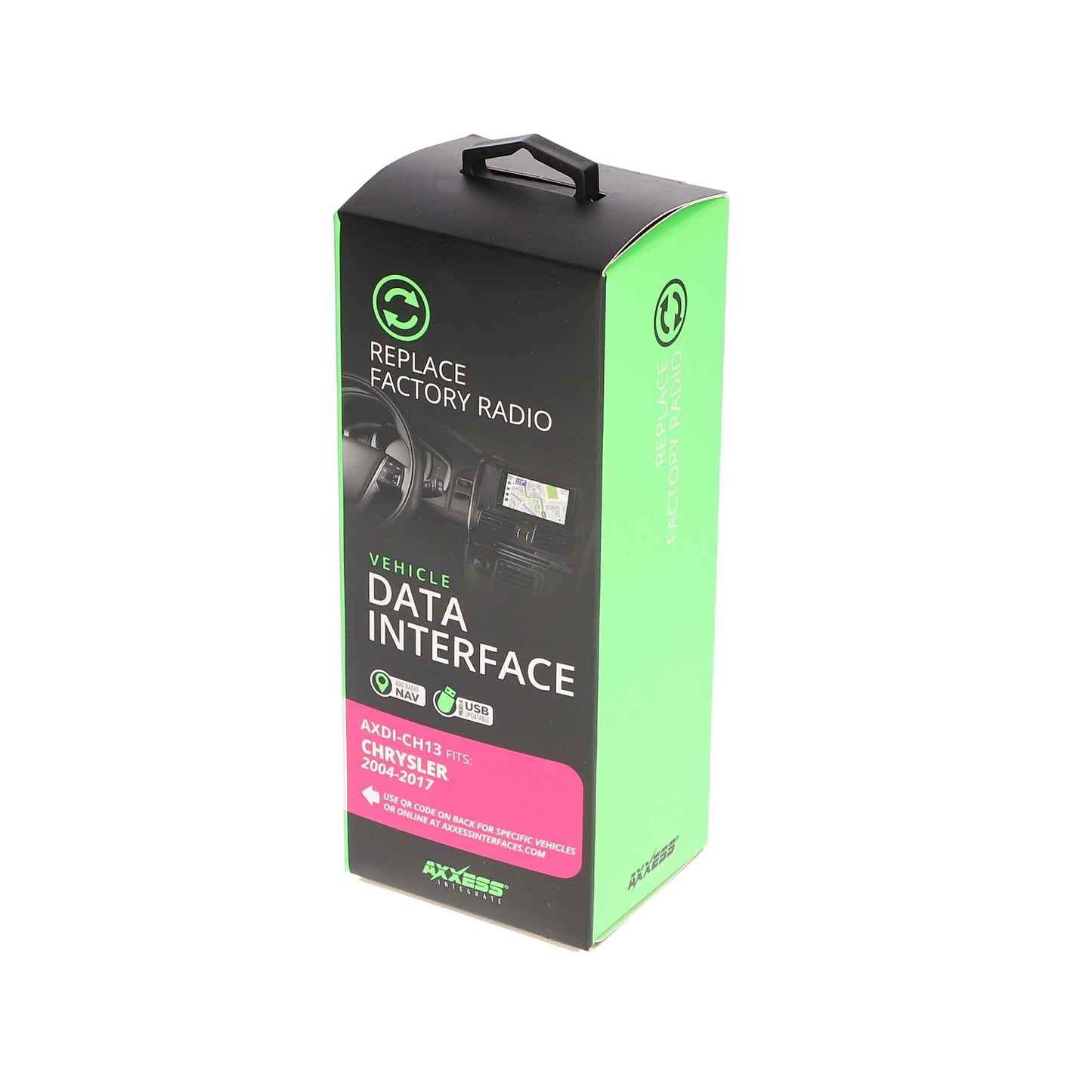
Axxess AXDI-CH13 Data Interface for Select Chrysler Dodge Jeep RAM Vehicles
Axxess AXDI-CH13 Data Interface for Select Chrysler Dodge Jeep RAM Vehicles
Couldn't load pickup availability
Buy with the right details confirmed
Confirm the size, power, connections, and included or separately required parts described on this page.
- Authorized retailer New, authentic product from MCOR Automotive.
- Fast U.S. shipping Review shipping details
- Expert help since 2004 Ask MCOR before you order
- Clear return terms Review the return policy
Axxess AXDI-CH13 is a radio replacement data interface for select Chrysler, Dodge, Jeep, Mitsubishi, RAM, and Volkswagen vehicles. It supplies the installation signals normally required when replacing the factory radio and helps retain supported vehicle functions with the correct aftermarket radio and vehicle configuration.
At a Glance
- Data interface for aftermarket radio installation in select Chrysler, Dodge, Jeep, Mitsubishi, RAM, and Volkswagen vehicles
- Designed for non-amplified and amplified systems
- Provides 12-volt 10-amp accessory power
- Retains retained accessory power (R.A.P.) where applicable
- Provides NAV outputs including parking brake, reverse, and speed sense
- Pre-wired for Axxess steering wheel control integration with AXSWC interface sold separately
- Micro-B USB updateable
- Retains factory chimes
- High-level speaker input
System / Wiring Notes
- Vehicle-specific data interface used when replacing the factory radio
- Steering wheel control retention requires the appropriate Axxess steering wheel control interface when equipped and supported
- Retained features depend on vehicle trim, radio type, factory audio system, and factory equipment
- Certain applications require either LD-BX-CH1 or LD-BX-CH2 harnessing as specified by application
Exact Vehicle Compatibility
Find your vehicle below, then match the model year and factory-equipment details in the same row. Factory radio, amplifier, navigation, trim, speaker location, and connector differences can change which installation parts are required. If anything differs, contact MCOR before ordering.
| Make | Model | Years | Factory Equipment / Qualifier | Application |
|---|---|---|---|---|
| Chrysler | 200 | 2011-2014 | Factory amplified audio system; Refer to the current Axxess application chart for additional interface choices. | Radio-replacement data interface for amplified system |
| Chrysler | 200 | 2011-2014 | Non-amplified factory audio system; Refer to the current Axxess application chart for additional interface choices. | Radio-replacement data interface for non-amplified system |
| Chrysler | 300 | 2005-2007 | With factory navigation; Factory amplified audio system; Refer to the current Axxess application chart for additional interface choices. | Radio-replacement data interface for amplified system |
| Chrysler | 300 | 2005-2007 | With factory navigation; Non-amplified factory audio system; Refer to the current Axxess application chart for additional interface choices. | Radio-replacement data interface for non-amplified system |
| Chrysler | 300 | 2005-2007 | Without factory navigation; Factory amplified audio system; Refer to the current Axxess application chart for additional interface choices. | Radio-replacement data interface for amplified system |
| Chrysler | 300 | 2005-2007 | Without factory navigation; Non-amplified factory audio system; Refer to the current Axxess application chart for additional interface choices. | Radio-replacement data interface for non-amplified system |
| Chrysler | 300 | 2008-2010 | Factory amplified audio system; Refer to the current Axxess application chart for additional interface choices. | Radio-replacement data interface for amplified system |
| Chrysler | 300 | 2008-2010 | Non-amplified factory audio system; Refer to the current Axxess application chart for additional interface choices. | Radio-replacement data interface for non-amplified system |
| Chrysler | 300/ 300C | 2005-2007 | — | Data interface pre-wired for steering-wheel controls; Factory-amplifier turn-on interface |
| Chrysler | 300/ 300C | 2008-2010 | — | Data interface pre-wired for steering-wheel controls; Factory-amplifier turn-on interface |
| Chrysler | Aspen | 2007 | With factory navigation; Factory amplified audio system; Refer to the current Axxess application chart for additional interface choices. | Radio-replacement data interface for amplified system |
| Chrysler | Aspen | 2007 | With factory navigation; Non-amplified factory audio system; Refer to the current Axxess application chart for additional interface choices. | Radio-replacement data interface for non-amplified system |
| Chrysler | Aspen | 2007 | Without factory navigation; Factory amplified audio system; Refer to the current Axxess application chart for additional interface choices. | Radio-replacement data interface for amplified system |
| Chrysler | Aspen | 2007 | Without factory navigation; Non-amplified factory audio system; Refer to the current Axxess application chart for additional interface choices. | Radio-replacement data interface for non-amplified system |
| Chrysler | Aspen | 2008-2009 | Factory amplified audio system; Refer to the current Axxess application chart for additional interface choices. | Radio-replacement data interface for amplified system |
| Chrysler | Aspen | 2008-2009 | Non-amplified factory audio system; Refer to the current Axxess application chart for additional interface choices. | Radio-replacement data interface for non-amplified system |
| Chrysler | PT Cruiser | 2006-2010 | Factory amplified audio system; Refer to the current Axxess application chart for additional interface choices. | Radio-replacement data interface for amplified system |
| Chrysler | PT Cruiser | 2006-2010 | Non-amplified factory audio system; Refer to the current Axxess application chart for additional interface choices. | Radio-replacement data interface for non-amplified system |
| Chrysler | Sebring | 2007-2010 | Factory amplified audio system; Refer to the current Axxess application chart for additional interface choices. | Radio-replacement data interface for amplified system |
| Chrysler | Sebring | 2007-2010 | Non-amplified factory audio system; Refer to the current Axxess application chart for additional interface choices. | Radio-replacement data interface for non-amplified system |
| Chrysler | Town & Country | 2008-2016 | Factory amplified audio system; Refer to the current Axxess application chart for additional interface choices. | Radio-replacement data interface for amplified system |
| Chrysler | Town & Country | 2008-2016 | Non-amplified factory audio system; Refer to the current Axxess application chart for additional interface choices. | Radio-replacement data interface for non-amplified system |
| Dodge | Avenger | 2008-2014 | Factory amplified audio system; Refer to the current Axxess application chart for additional interface choices. | Radio-replacement data interface for amplified system |
| Dodge | Avenger | 2008-2014 | Non-amplified factory audio system; Refer to the current Axxess application chart for additional interface choices. | Radio-replacement data interface for non-amplified system |
| Dodge | Caliber | 2007-2008 | With factory navigation; Factory amplified audio system; Refer to the current Axxess application chart for additional interface choices. | Radio-replacement data interface for amplified system |
| Dodge | Caliber | 2007-2008 | With factory navigation; Non-amplified factory audio system; Refer to the current Axxess application chart for additional interface choices. | Radio-replacement data interface for non-amplified system |
| Dodge | Caliber | 2007-2008 | Without factory navigation; Factory amplified audio system; Refer to the current Axxess application chart for additional interface choices. | Radio-replacement data interface for amplified system |
| Dodge | Caliber | 2007-2008 | Without factory navigation; Non-amplified factory audio system; Refer to the current Axxess application chart for additional interface choices. | Radio-replacement data interface for non-amplified system |
| Dodge | Caliber | 2009-2012 | Factory amplified audio system; Refer to the current Axxess application chart for additional interface choices. | Radio-replacement data interface for amplified system |
| Dodge | Caliber | 2009-2012 | Non-amplified factory audio system; Refer to the current Axxess application chart for additional interface choices. | Radio-replacement data interface for non-amplified system |
| Dodge | Challenger | 2008-2014 | Factory amplified audio system; Refer to the current Axxess application chart for additional interface choices. | Radio-replacement data interface for amplified system |
| Dodge | Challenger | 2008-2014 | Non-amplified factory audio system; Refer to the current Axxess application chart for additional interface choices. | Radio-replacement data interface for non-amplified system |
| Dodge | Charger | 2006-2007 | With factory navigation; Factory amplified audio system; Refer to the current Axxess application chart for additional interface choices. | Radio-replacement data interface for amplified system |
| Dodge | Charger | 2006-2007 | With factory navigation; Non-amplified factory audio system; Refer to the current Axxess application chart for additional interface choices. | Radio-replacement data interface for non-amplified system |
| Dodge | Charger | 2006-2007 | Without factory navigation; Factory amplified audio system; Refer to the current Axxess application chart for additional interface choices. | Radio-replacement data interface for amplified system |
| Dodge | Charger | 2006-2007 | Without factory navigation; Non-amplified factory audio system; Refer to the current Axxess application chart for additional interface choices. | Radio-replacement data interface for non-amplified system |
| Dodge | Charger | 2008-2010 | Factory amplified audio system; Refer to the current Axxess application chart for additional interface choices. | Radio-replacement data interface for amplified system |
| Dodge | Charger | 2008-2010 | Non-amplified factory audio system; Refer to the current Axxess application chart for additional interface choices. | Radio-replacement data interface for non-amplified system |
| Dodge | Dakota | 2005-2007 | Factory amplified audio system; Refer to the current Axxess application chart for additional interface choices. | Radio-replacement data interface for amplified system |
| Dodge | Dakota | 2005-2007 | Non-amplified factory audio system; Refer to the current Axxess application chart for additional interface choices. | Radio-replacement data interface for non-amplified system |
| Dodge | Dakota | 2008-2011 | Factory amplified audio system; Refer to the current Axxess application chart for additional interface choices. | Radio-replacement data interface for amplified system |
| Dodge | Dakota | 2008-2011 | Non-amplified factory audio system; Refer to the current Axxess application chart for additional interface choices. | Radio-replacement data interface for non-amplified system |
| Dodge | Durango | 2004-2007 | With factory navigation; Factory amplified audio system; Refer to the current Axxess application chart for additional interface choices. | Radio-replacement data interface for amplified system |
| Dodge | Durango | 2004-2007 | With factory navigation; Non-amplified factory audio system; Refer to the current Axxess application chart for additional interface choices. | Radio-replacement data interface for non-amplified system |
| Dodge | Durango | 2004-2007 | Without factory navigation; Factory amplified audio system; Refer to the current Axxess application chart for additional interface choices. | Radio-replacement data interface for amplified system |
| Dodge | Durango | 2004-2007 | Without factory navigation; Non-amplified factory audio system; Refer to the current Axxess application chart for additional interface choices. | Radio-replacement data interface for non-amplified system |
| Dodge | Durango | 2008-2009 | Factory amplified audio system; Refer to the current Axxess application chart for additional interface choices. | Radio-replacement data interface for amplified system |
| Dodge | Durango | 2008-2009 | Non-amplified factory audio system; Refer to the current Axxess application chart for additional interface choices. | Radio-replacement data interface for non-amplified system |
| Dodge | Durango | 2008-2013 | — | Data interface pre-wired for steering-wheel controls; Factory-amplifier turn-on interface |
| Dodge | Durango | 2011-2013 | Factory amplified audio system; Refer to the current Axxess application chart for additional interface choices. | Radio-replacement data interface for amplified system |
| Dodge | Durango | 2011-2013 | Non-amplified factory audio system; Refer to the current Axxess application chart for additional interface choices. | Radio-replacement data interface for non-amplified system |
| Dodge | Grand Caravan | 2008-2020 | — | Data interface pre-wired for steering-wheel controls; Factory-amplifier turn-on interface |
| Dodge | Journey | 2009-2010 | Factory amplified audio system; Refer to the current Axxess application chart for additional interface choices. | Radio-replacement data interface for amplified system |
| Dodge | Journey | 2009-2010 | Non-amplified factory audio system; Refer to the current Axxess application chart for additional interface choices. | Radio-replacement data interface for non-amplified system |
| Dodge | Magnum | 2005-2007 | With factory navigation; Factory amplified audio system; Refer to the current Axxess application chart for additional interface choices. | Radio-replacement data interface for amplified system |
| Dodge | Magnum | 2005-2007 | With factory navigation; Non-amplified factory audio system; Refer to the current Axxess application chart for additional interface choices. | Radio-replacement data interface for non-amplified system |
| Dodge | Magnum | 2005-2007 | Without factory navigation; Factory amplified audio system; Refer to the current Axxess application chart for additional interface choices. | Radio-replacement data interface for amplified system |
| Dodge | Magnum | 2005-2007 | Without factory navigation; Non-amplified factory audio system; Refer to the current Axxess application chart for additional interface choices. | Radio-replacement data interface for non-amplified system |
| Dodge | Magnum | 2008 | Factory amplified audio system; Refer to the current Axxess application chart for additional interface choices. | Radio-replacement data interface for amplified system |
| Dodge | Magnum | 2008 | Non-amplified factory audio system; Refer to the current Axxess application chart for additional interface choices. | Radio-replacement data interface for non-amplified system |
| Dodge | Nitro | 2007-2011 | Factory amplified audio system; Refer to the current Axxess application chart for additional interface choices. | Radio-replacement data interface for amplified system |
| Dodge | Nitro | 2007-2011 | Non-amplified factory audio system; Refer to the current Axxess application chart for additional interface choices. | Radio-replacement data interface for non-amplified system |
| Dodge | Ram 1500 | 2006-2008 | With factory navigation; Factory amplified audio system; Refer to the current Axxess application chart for additional interface choices. | Radio-replacement data interface for amplified system |
| Dodge | Ram 1500 | 2006-2008 | With factory navigation; Non-amplified factory audio system; Refer to the current Axxess application chart for additional interface choices. | Radio-replacement data interface for non-amplified system |
| Dodge | Ram 1500 | 2006-2008 | Without factory navigation; Factory amplified audio system; Refer to the current Axxess application chart for additional interface choices. | Radio-replacement data interface for amplified system |
| Dodge | Ram 1500 | 2006-2008 | Without factory navigation; Non-amplified factory audio system; Refer to the current Axxess application chart for additional interface choices. | Radio-replacement data interface for non-amplified system |
| Dodge | Ram 1500 | 2009-2010 | Factory amplified audio system; Refer to the current Axxess application chart for additional interface choices. | Radio-replacement data interface for amplified system |
| Dodge | Ram 1500 | 2009-2010 | Non-amplified factory audio system; Refer to the current Axxess application chart for additional interface choices. | Radio-replacement data interface for non-amplified system |
| Dodge | Ram 2500, 3500 | 2006-2009 | With factory navigation; Factory amplified audio system; Refer to the current Axxess application chart for additional interface choices. | Radio-replacement data interface for amplified system |
| Dodge | Ram 2500, 3500 | 2006-2009 | With factory navigation; Non-amplified factory audio system; Refer to the current Axxess application chart for additional interface choices. | Radio-replacement data interface for non-amplified system |
| Dodge | Ram 2500, 3500 | 2006-2009 | Without factory navigation; Factory amplified audio system; Refer to the current Axxess application chart for additional interface choices. | Radio-replacement data interface for amplified system |
| Dodge | Ram 2500, 3500 | 2006-2009 | Without factory navigation; Non-amplified factory audio system; Refer to the current Axxess application chart for additional interface choices. | Radio-replacement data interface for non-amplified system |
| Dodge | Ram 2500, 3500 | 2010 | Factory amplified audio system; Refer to the current Axxess application chart for additional interface choices. | Radio-replacement data interface for amplified system |
| Dodge | Ram 2500, 3500 | 2010 | Non-amplified factory audio system; Refer to the current Axxess application chart for additional interface choices. | Radio-replacement data interface for non-amplified system |
| Dodge | Ram Pickup 1500 | 2006-2008 | — | Data interface pre-wired for steering-wheel controls; Factory-amplifier turn-on interface |
| Dodge | Ram Pickup 1500 | 2009-2010 | — | Data interface pre-wired for steering-wheel controls; Factory-amplifier turn-on interface |
| Dodge | Ram Pickup 2500/3500 | 2006-2009 | — | Data interface pre-wired for steering-wheel controls; Factory-amplifier turn-on interface |
| Dodge | Ram Pickup 2500/3500 | 2010-2011 | — | Data interface pre-wired for steering-wheel controls; Factory-amplifier turn-on interface |
| Dodge | Ram Pickup 2500/3500 | 2012-2011 | — | Data interface pre-wired for steering-wheel controls; Factory-amplifier turn-on interface |
| Dodge | Ram Pickup Chassis Cab 4500, 5500 | 2008-2010 | With factory navigation; Factory amplified audio system; Refer to the current Axxess application chart for additional interface choices. | Radio-replacement data interface for amplified system |
| Dodge | Ram Pickup Chassis Cab 4500, 5500 | 2008-2010 | With factory navigation; Non-amplified factory audio system; Refer to the current Axxess application chart for additional interface choices. | Radio-replacement data interface for non-amplified system |
| Dodge | Ram Pickup Chassis Cab 4500, 5500 | 2008-2010 | Without factory navigation; Factory amplified audio system; Refer to the current Axxess application chart for additional interface choices. | Radio-replacement data interface for amplified system |
| Dodge | Ram Pickup Chassis Cab 4500, 5500 | 2008-2010 | Without factory navigation; Non-amplified factory audio system; Refer to the current Axxess application chart for additional interface choices. | Radio-replacement data interface for non-amplified system |
| Dodge | Ram Pickup Chassis Cab 4500, 5500 | 2011-2012 | Factory amplified audio system; Refer to the current Axxess application chart for additional interface choices. | Radio-replacement data interface for amplified system |
| Dodge | Ram Pickup Chassis Cab 4500, 5500 | 2011-2012 | Non-amplified factory audio system; Refer to the current Axxess application chart for additional interface choices. | Radio-replacement data interface for non-amplified system |
| Jeep | Commander | 2006-2007 | With factory navigation; Factory amplified audio system; Refer to the current Axxess application chart for additional interface choices. | Radio-replacement data interface for amplified system |
| Jeep | Commander | 2006-2007 | With factory navigation; Non-amplified factory audio system; Refer to the current Axxess application chart for additional interface choices. | Radio-replacement data interface for non-amplified system |
| Jeep | Commander | 2006-2007 | Without factory navigation; Factory amplified audio system; Refer to the current Axxess application chart for additional interface choices. | Radio-replacement data interface for amplified system |
| Jeep | Commander | 2006-2007 | Without factory navigation; Non-amplified factory audio system; Refer to the current Axxess application chart for additional interface choices. | Radio-replacement data interface for non-amplified system |
| Jeep | Commander | 2008-2010 | Factory amplified audio system; Refer to the current Axxess application chart for additional interface choices. | Radio-replacement data interface for amplified system |
| Jeep | Commander | 2008-2010 | Non-amplified factory audio system; Refer to the current Axxess application chart for additional interface choices. | Radio-replacement data interface for non-amplified system |
| Jeep | Compass | 2007-2008 | With factory navigation; Factory amplified audio system; Refer to the current Axxess application chart for additional interface choices. | Radio-replacement data interface for amplified system |
| Jeep | Compass | 2007-2008 | With factory navigation; Non-amplified factory audio system; Refer to the current Axxess application chart for additional interface choices. | Radio-replacement data interface for non-amplified system |
| Jeep | Compass | 2007-2008 | Without factory navigation; Factory amplified audio system; Refer to the current Axxess application chart for additional interface choices. | Radio-replacement data interface for amplified system |
| Jeep | Compass | 2007-2008 | Without factory navigation; Non-amplified factory audio system; Refer to the current Axxess application chart for additional interface choices. | Radio-replacement data interface for non-amplified system |
| Jeep | Compass | 2009-2017.5 | Factory amplified audio system; Refer to the current Axxess application chart for additional interface choices. | Radio-replacement data interface for amplified system |
| Jeep | Compass | 2009-2017.5 | Non-amplified factory audio system; Refer to the current Axxess application chart for additional interface choices. | Radio-replacement data interface for non-amplified system |
| Jeep | Grand Cherokee | 2005-2007 | With factory navigation; Factory amplified audio system; Refer to the current Axxess application chart for additional interface choices. | Radio-replacement data interface for amplified system |
| Jeep | Grand Cherokee | 2005-2007 | With factory navigation; Non-amplified factory audio system; Refer to the current Axxess application chart for additional interface choices. | Radio-replacement data interface for non-amplified system |
| Jeep | Grand Cherokee | 2005-2007 | Without factory navigation; Factory amplified audio system; Refer to the current Axxess application chart for additional interface choices. | Radio-replacement data interface for amplified system |
| Jeep | Grand Cherokee | 2005-2007 | Without factory navigation; Non-amplified factory audio system; Refer to the current Axxess application chart for additional interface choices. | Radio-replacement data interface for non-amplified system |
| Jeep | Grand Cherokee | 2008-2010 | Factory amplified audio system; Refer to the current Axxess application chart for additional interface choices. | Radio-replacement data interface for amplified system |
| Jeep | Grand Cherokee | 2008-2010 | Non-amplified factory audio system; Refer to the current Axxess application chart for additional interface choices. | Radio-replacement data interface for non-amplified system |
| Jeep | Grand Cherokee | 2011-2013 | Factory amplified audio system; Refer to the current Axxess application chart for additional interface choices. | Radio-replacement data interface for amplified system |
| Jeep | Grand Cherokee | 2011-2013 | Non-amplified factory audio system; Refer to the current Axxess application chart for additional interface choices. | Radio-replacement data interface for non-amplified system |
| Jeep | Liberty | 2008-2012 | Factory amplified audio system; Refer to the current Axxess application chart for additional interface choices. | Radio-replacement data interface for amplified system |
| Jeep | Liberty | 2008-2012 | Non-amplified factory audio system; Refer to the current Axxess application chart for additional interface choices. | Radio-replacement data interface for non-amplified system |
| Jeep | Patriot | 2007-2008 | With factory navigation; Factory amplified audio system; Refer to the current Axxess application chart for additional interface choices. | Radio-replacement data interface for amplified system |
| Jeep | Patriot | 2007-2008 | With factory navigation; Non-amplified factory audio system; Refer to the current Axxess application chart for additional interface choices. | Radio-replacement data interface for non-amplified system |
| Jeep | Patriot | 2007-2008 | Without factory navigation; Factory amplified audio system; Refer to the current Axxess application chart for additional interface choices. | Radio-replacement data interface for amplified system |
| Jeep | Patriot | 2007-2008 | Without factory navigation; Non-amplified factory audio system; Refer to the current Axxess application chart for additional interface choices. | Radio-replacement data interface for non-amplified system |
| Jeep | Patriot | 2009-2017 | Factory amplified audio system; Refer to the current Axxess application chart for additional interface choices. | Radio-replacement data interface for amplified system |
| Jeep | Patriot | 2009-2017 | Non-amplified factory audio system; Refer to the current Axxess application chart for additional interface choices. | Radio-replacement data interface for non-amplified system |
| Jeep | Wrangler | 2007-2010 | Factory amplified audio system; Refer to the current Axxess application chart for additional interface choices. | Radio-replacement data interface for amplified system |
| Jeep | Wrangler | 2007-2010 | Non-amplified factory audio system; Refer to the current Axxess application chart for additional interface choices. | Radio-replacement data interface for non-amplified system |
| Jeep | Wrangler | 2007-2017 | Factory amplified audio system; Refer to the current Axxess application chart for additional interface choices. | Radio-replacement data interface for amplified system |
| Jeep | Wrangler | 2007-2017 | Non-amplified factory audio system; Refer to the current Axxess application chart for additional interface choices. | Radio-replacement data interface for non-amplified system |
| Jeep | Wrangler | 2011-2017 | JK body type; Factory amplified audio system; Refer to the current Axxess application chart for additional interface choices. | Radio-replacement data interface for amplified system |
| Jeep | Wrangler | 2011-2017 | JK body type; Non-amplified factory audio system; Refer to the current Axxess application chart for additional interface choices. | Radio-replacement data interface for non-amplified system |
| Jeep | Wrangler | 2018 | JK body type; Factory amplified audio system; Refer to the current Axxess application chart for additional interface choices. | Radio-replacement data interface for amplified system |
| Jeep | Wrangler | 2018 | JK body type; Non-amplified factory audio system; Refer to the current Axxess application chart for additional interface choices. | Radio-replacement data interface for non-amplified system |
| Mitsubishi | Raider | 2006-2007 | Factory amplified audio system; Refer to the current Axxess application chart for additional interface choices. | Radio-replacement data interface for amplified system |
| Mitsubishi | Raider | 2006-2007 | Non-amplified factory audio system; Refer to the current Axxess application chart for additional interface choices. | Radio-replacement data interface for non-amplified system |
| Mitsubishi | Raider | 2008-2009 | Factory amplified audio system; Refer to the current Axxess application chart for additional interface choices. | Radio-replacement data interface for amplified system |
| Mitsubishi | Raider | 2008-2009 | Non-amplified factory audio system; Refer to the current Axxess application chart for additional interface choices. | Radio-replacement data interface for non-amplified system |
| RAM | 1500 | 2011-2012 | — | Data interface pre-wired for steering-wheel controls |
| RAM | 1500, 2500, 3500 | 2011-2012 | Factory amplified audio system; Refer to the current Axxess application chart for additional interface choices. | Radio-replacement data interface for amplified system |
| RAM | 1500, 2500, 3500 | 2011-2012 | Non-amplified factory audio system; Refer to the current Axxess application chart for additional interface choices. | Radio-replacement data interface for non-amplified system |
| RAM | 2500/3500 | 2012 | — | Data interface pre-wired for steering-wheel controls |
| RAM | C/V | 2012 | — | Data interface pre-wired for steering-wheel controls |
| RAM | C/V Tradesman | 2012-2015 | Non-amplified factory audio system; Refer to the current Axxess application chart for additional interface choices. | Radio-replacement data interface for non-amplified system |
| RAM | Chassis | 2012 | — | Data interface pre-wired for steering-wheel controls |
| RAM | Chassis Cab | 2011-2012 | 2500, 3500, 4500, 5500; Non-amplified factory audio system; Refer to the current Axxess application chart for additional interface choices. | Radio-replacement data interface for non-amplified system |
| Volkswagen | Routan | 2009-2013 | Factory amplified audio system; Refer to the current Axxess application chart for additional interface choices. | Radio-replacement data interface for amplified system |
| Volkswagen | Routan | 2009-2013 | Non-amplified factory audio system; Refer to the current Axxess application chart for additional interface choices. | Radio-replacement data interface for non-amplified system |
Fitment note: Year and model alone are not always enough to confirm compatibility. Match every factory-equipment qualifier shown for your vehicle, and contact MCOR Automotive if the radio, amplifier, navigation, speaker, camera, trim, or connector details are uncertain.
Installation Notes
- Confirm exact year, make, model, trim, radio type, and factory audio system before installation
- Additional dash kit, antenna adapter, steering wheel control interface, or radio-specific harness may be required
- Professional installation is recommended for proper setup and retained-feature operation
- Check the current Axxess vehicle fit guide and installation instructions before installation
What’s in the Box
- Axxess AXDI-CH13 data interface and vehicle-specific harnessing as supplied by the manufacturer
Technical Specifications
- Brand: Axxess
- Model: AXDI-CH13
- Product Type: Radio replacement data interface
- Application: select Chrysler, Dodge, Jeep, Mitsubishi, RAM, and Volkswagen vehicles
- Compatibility Type: Vehicle-specific
- Update Method: Micro-B USB
- Steering Wheel Control Support: Pre-wired for AXSWC interface where applicable; AXSWC sold separately
Identifiers & Packaging
- MPN: AXDI-CH13
- UPC: 086429383924
- Sold As: Each
- Included Components: Data interface and vehicle-specific harnessing
Why Buy From MCOR Automotive
- Authorized retailer for the brands we sell
- Specialists in vehicle audio integration, radio replacement parts, and installation accessories
- 22+ years of professional automotive electronics experience
- Expert support for compatibility verification and proper setup
Share